
Portfolio
The following are previous systems I have developed for clients. Anything is possible with a custom system; take these as inspiration and get creative.
The "Notebook" system:
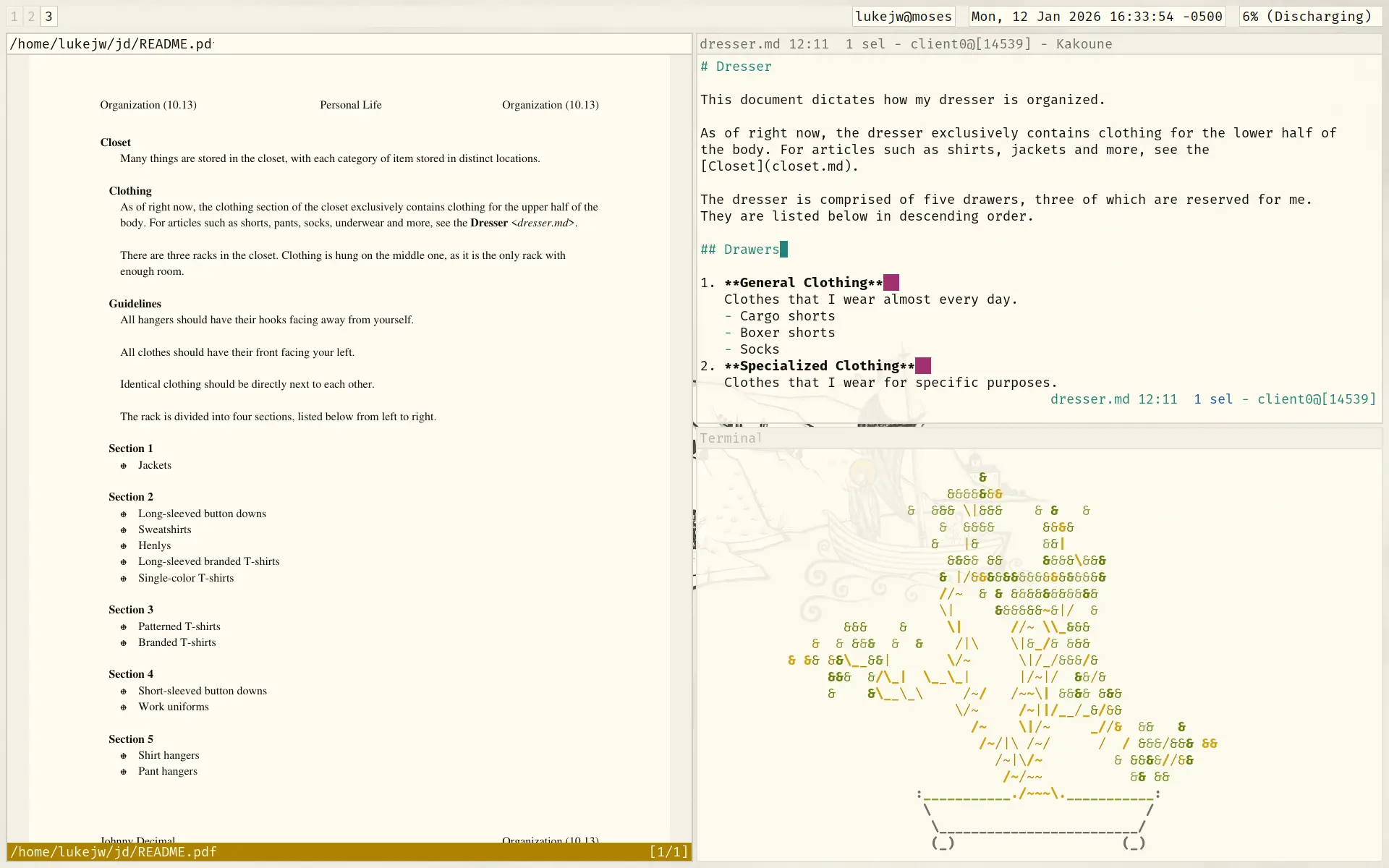
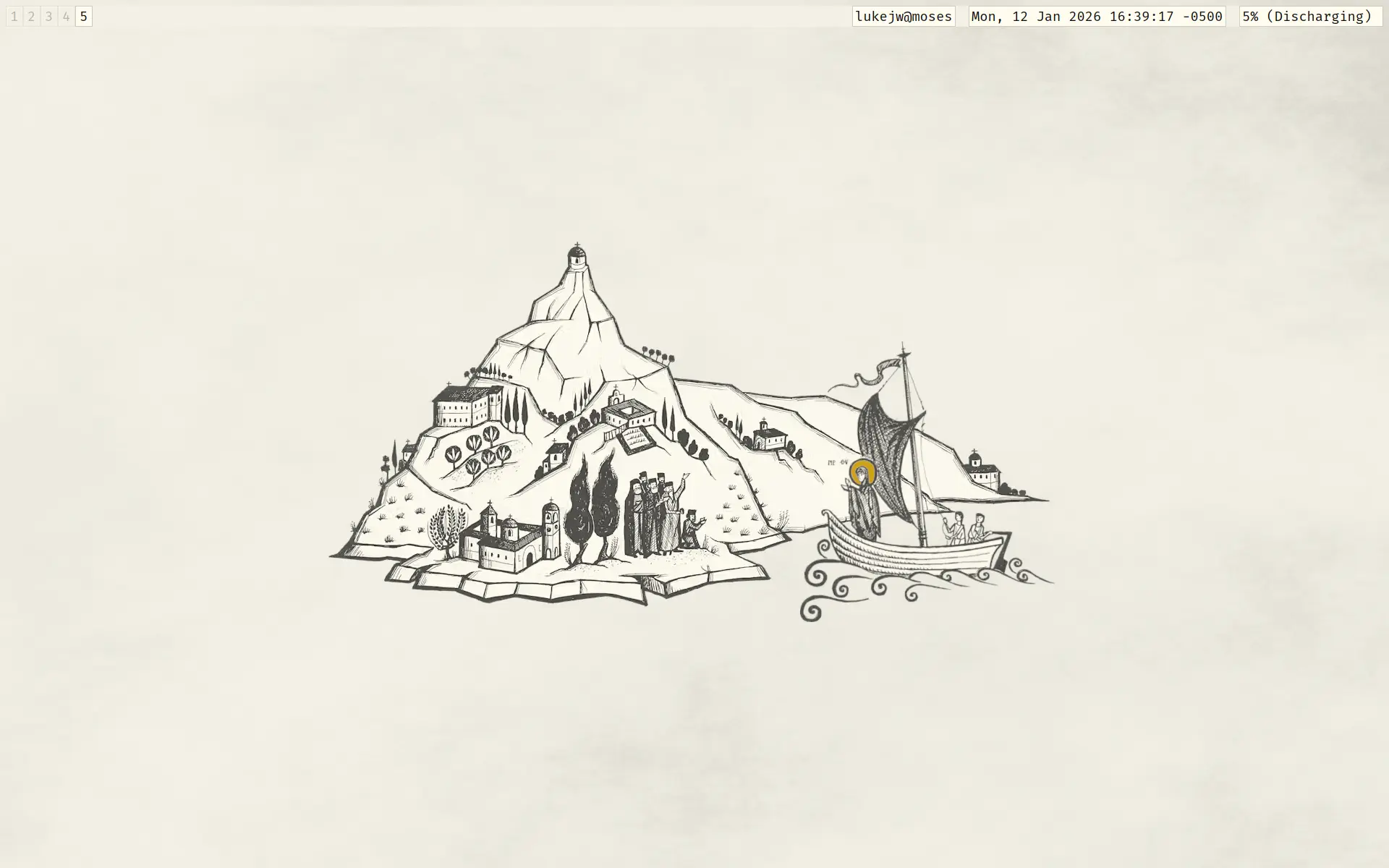
This uses a tiling setup where all the windows are automatically organized into a grid. The user can manually control the grid via the keyboard. It's very efficient in both resource usage and user efficiency.
Pictured is a PDF viewer on the left and a text editor + cbonsai on the right. The desktop background is one that I made.
My old personal system:
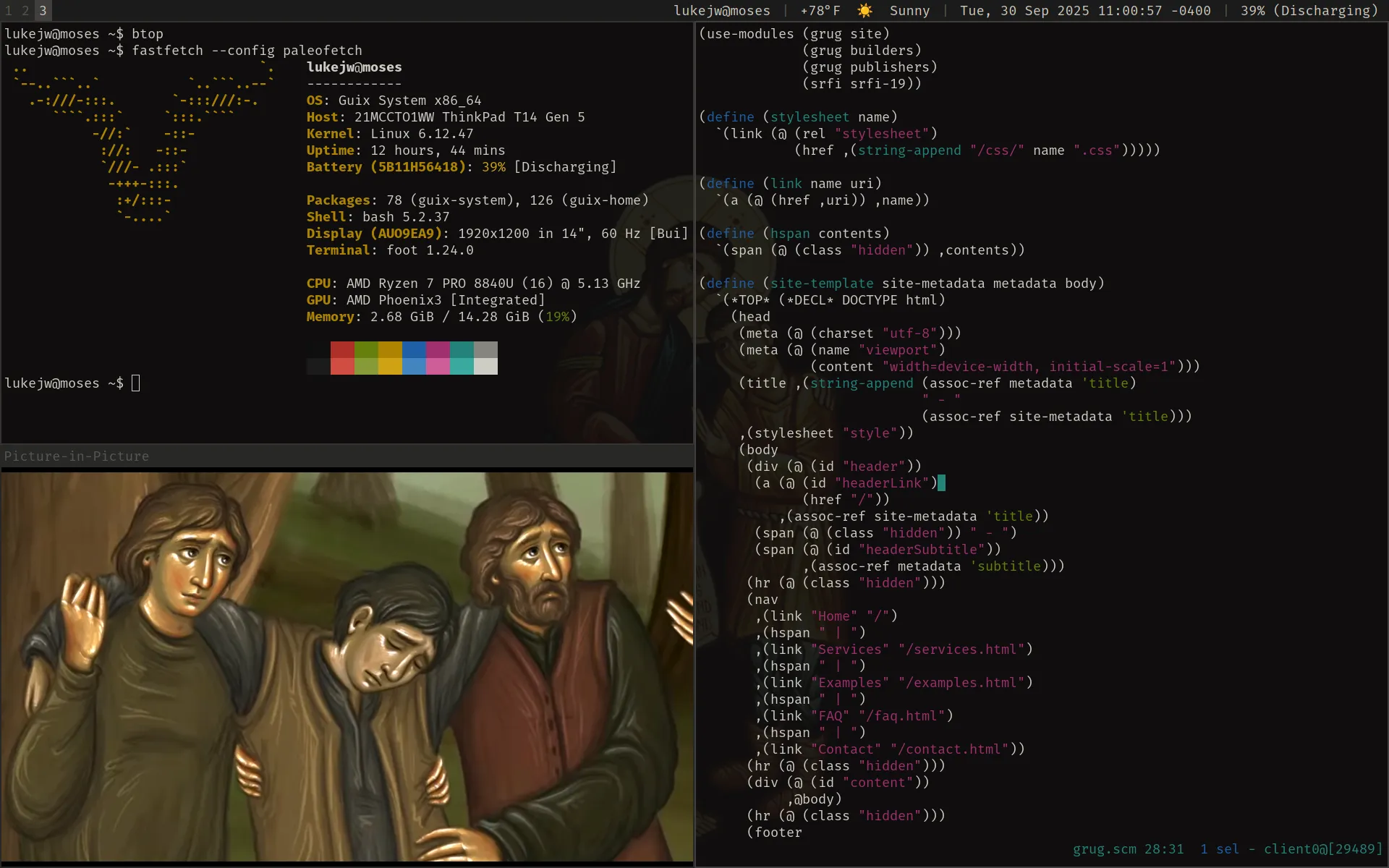
This uses a similar tiling layout.
The "Control Room" system:
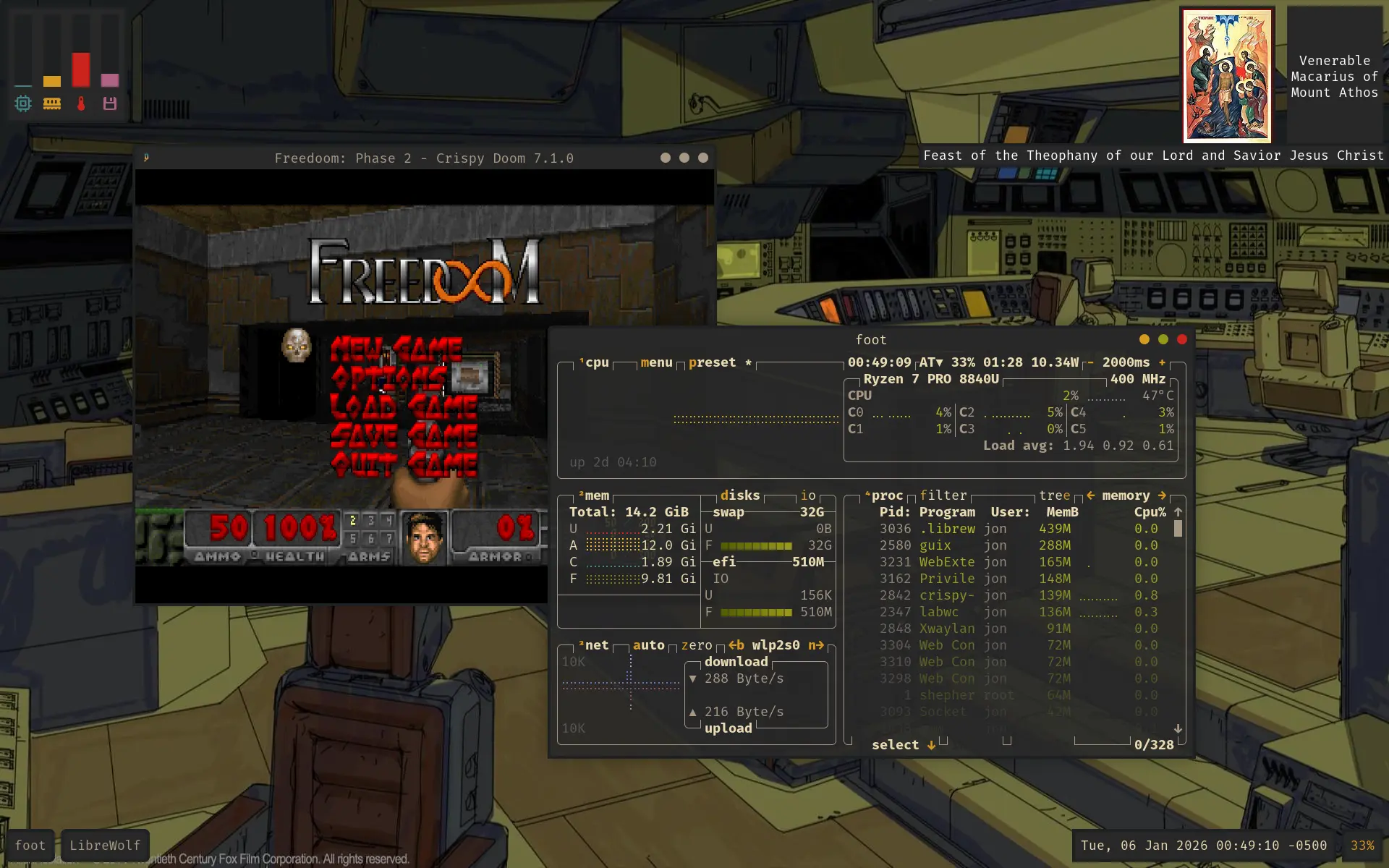
This might be more familiar to the average user. Windows are floating like they do on, well, Windows. Minimized windows are filed away in tabs at the bottom left of the screen.
Some fun widgets are displayed on the desktop. On the bottom, minimized windows are filed like folder tabs. On the top left, resource usage is displayed in real time. On the top right, the saints/feasts of the day are listed alongside their respective icons.
These are just some demo widgets I threw together. I can have just about anything displayed on your desktop; Feel free to get creative with your ideas!
The "Fallout" system:
This system was recently finished. More information is coming soon.